MilkyWan TV
Live channels, on all your screens.
We offer our subscribers, at no extra cost, more than 80 French and international channels live, from any MilkyWan connection: fibre, tunnel, OpenMPTCProuter (link aggregation) or mobile data.
To make viewing easier, our in-house application MilkyWan TV is available on Apple TV, iPhone, iPad, Mac, Android and Android TV.
The MilkyWan TV app
You sign in with your Univers account, the subscriber area.
Apple TV
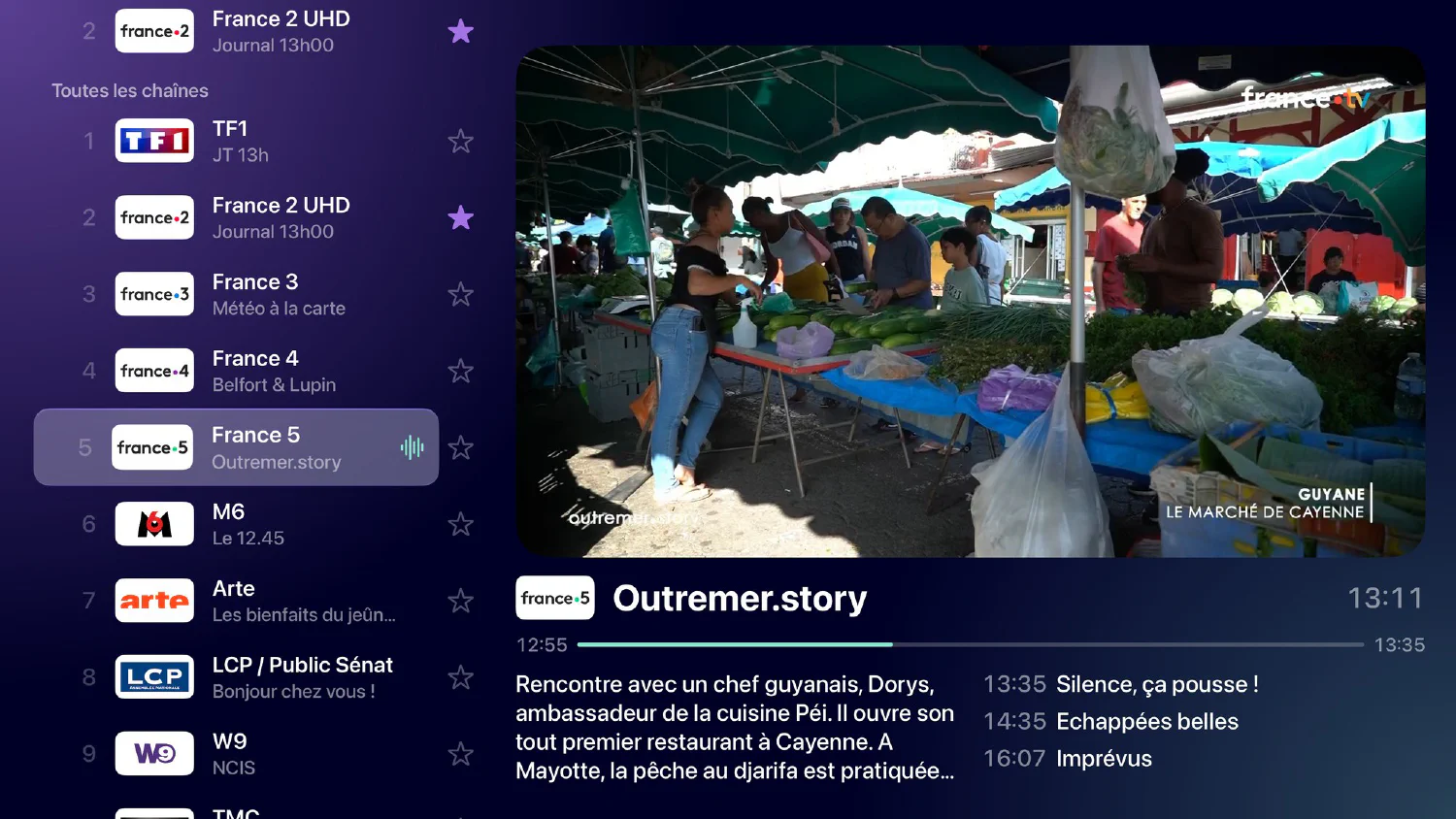
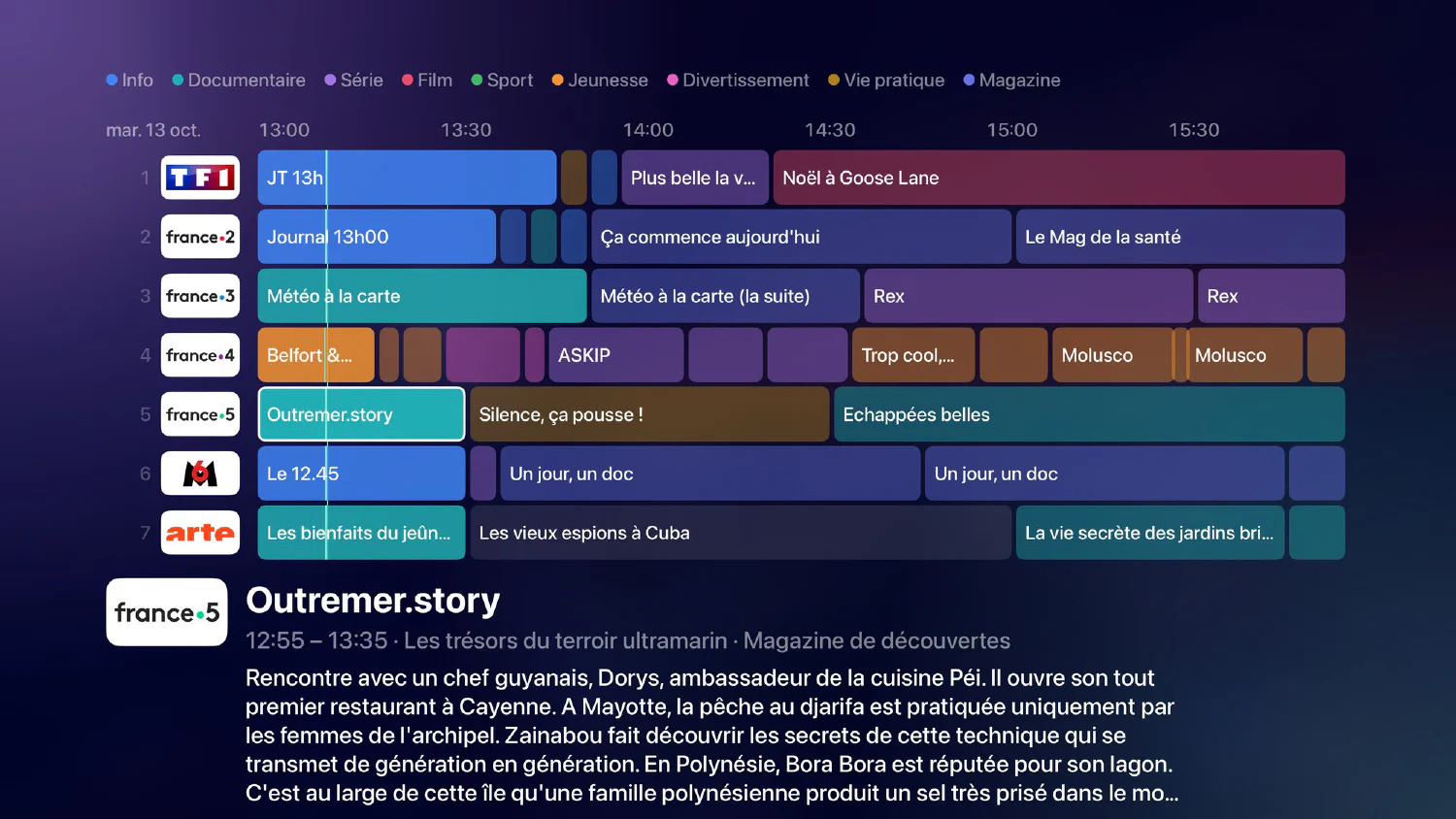
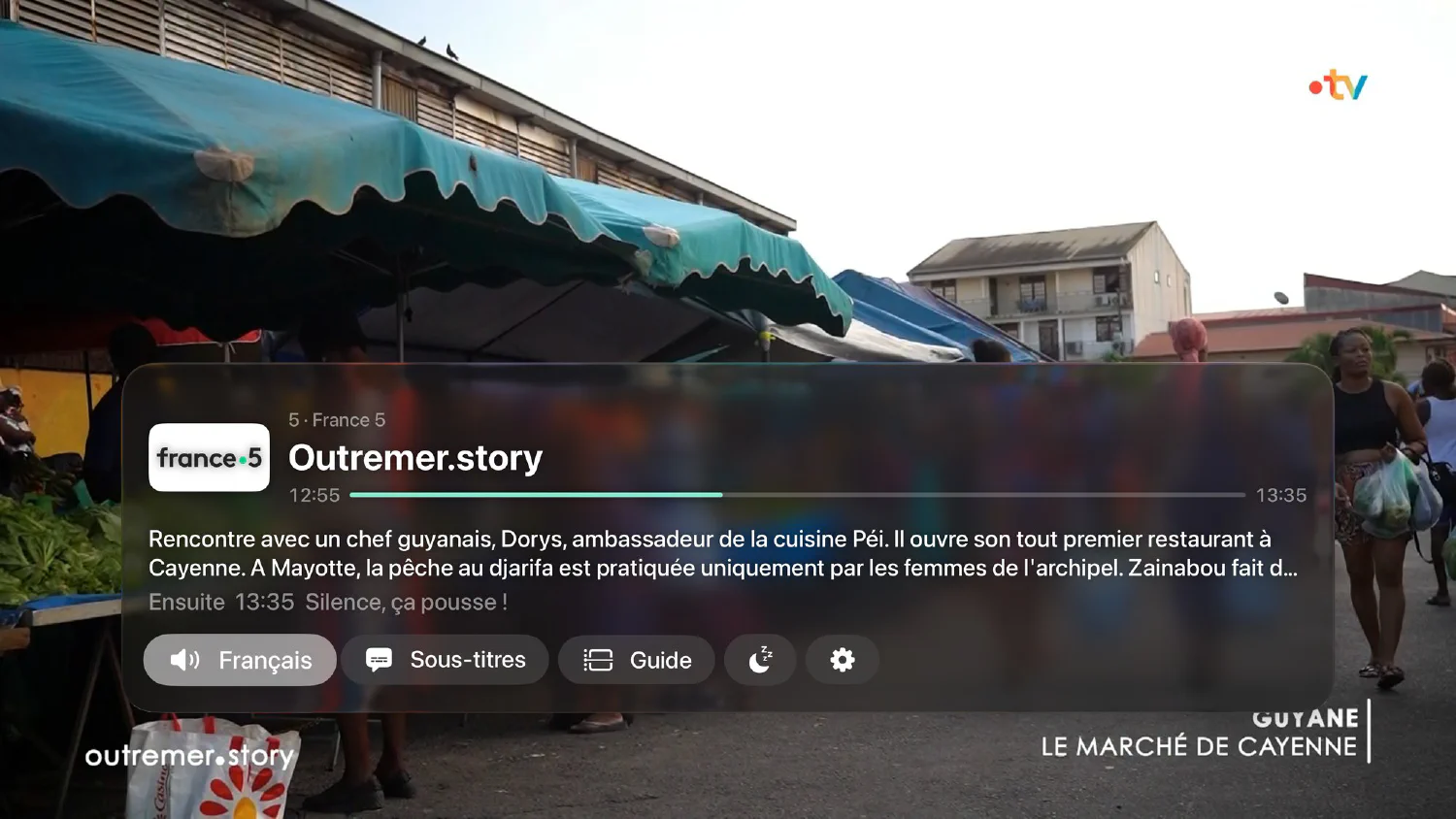
On the television, with the remote: channel list with preview, grid guide, direct entry of the channel number.
tvOS 17 or later

iPhone
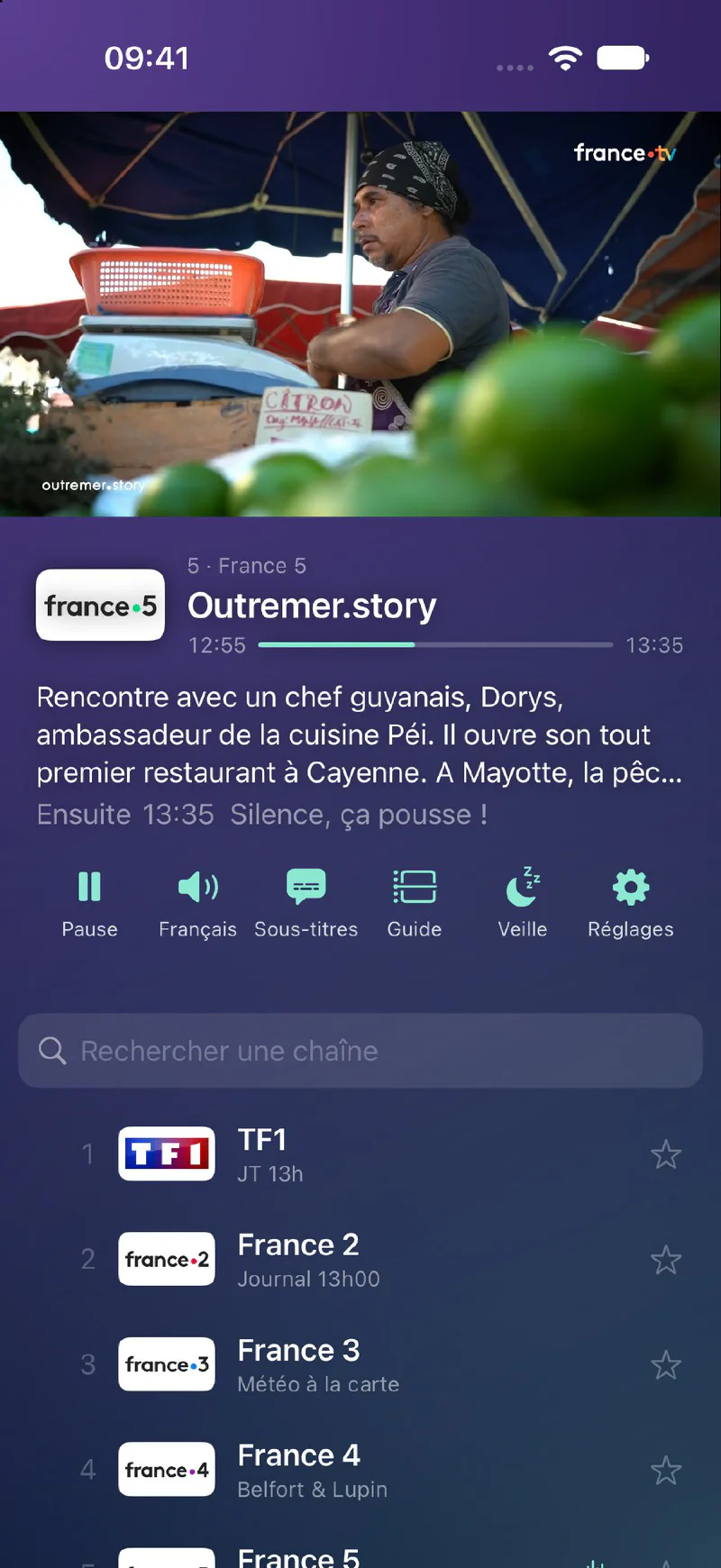
In your pocket: the channel at the top, the programme and the list below, and the grid guide when you turn the phone.
iOS 17 or later
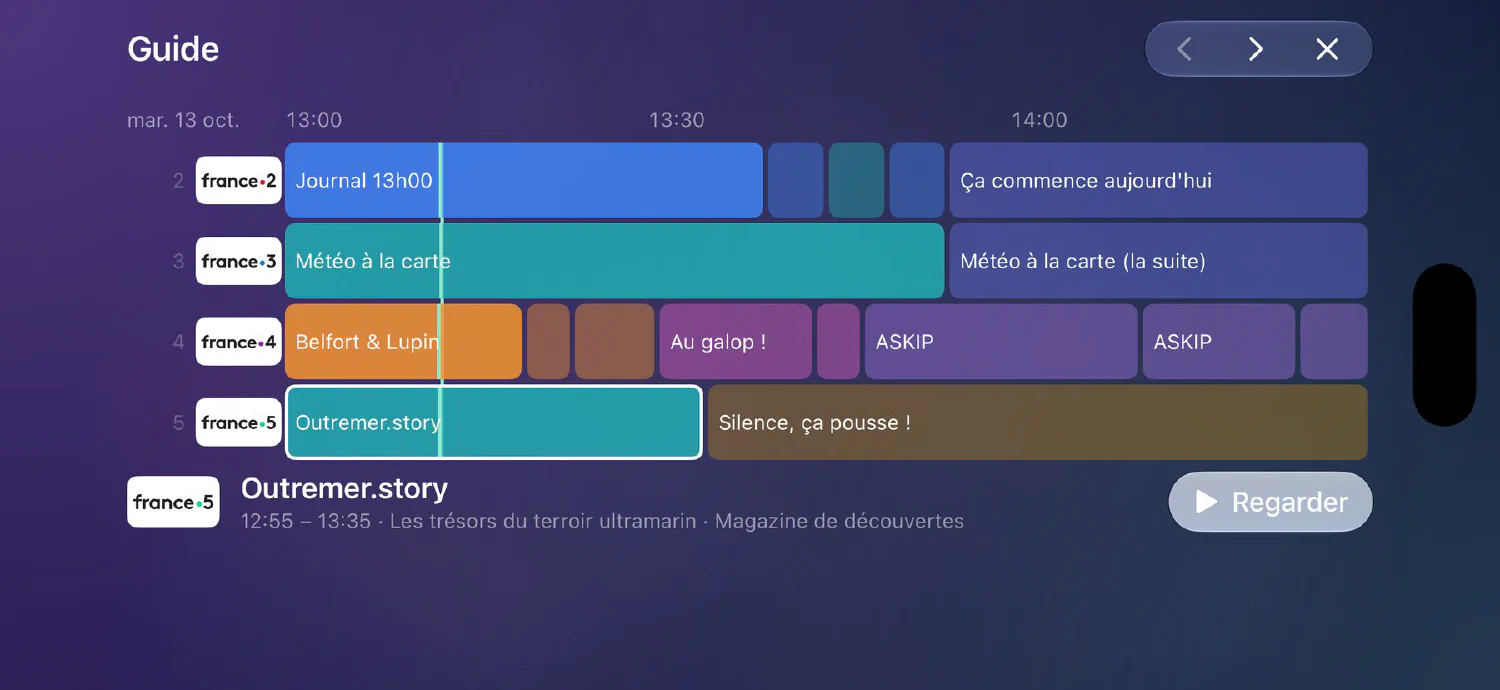
iPad
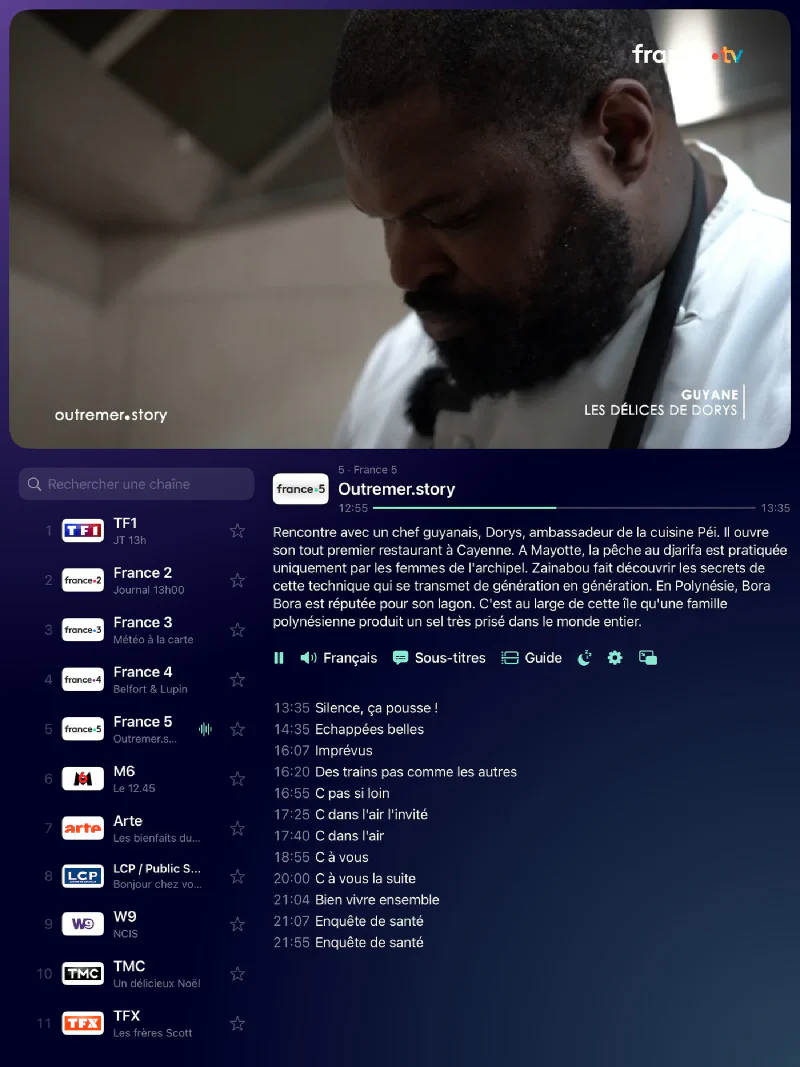
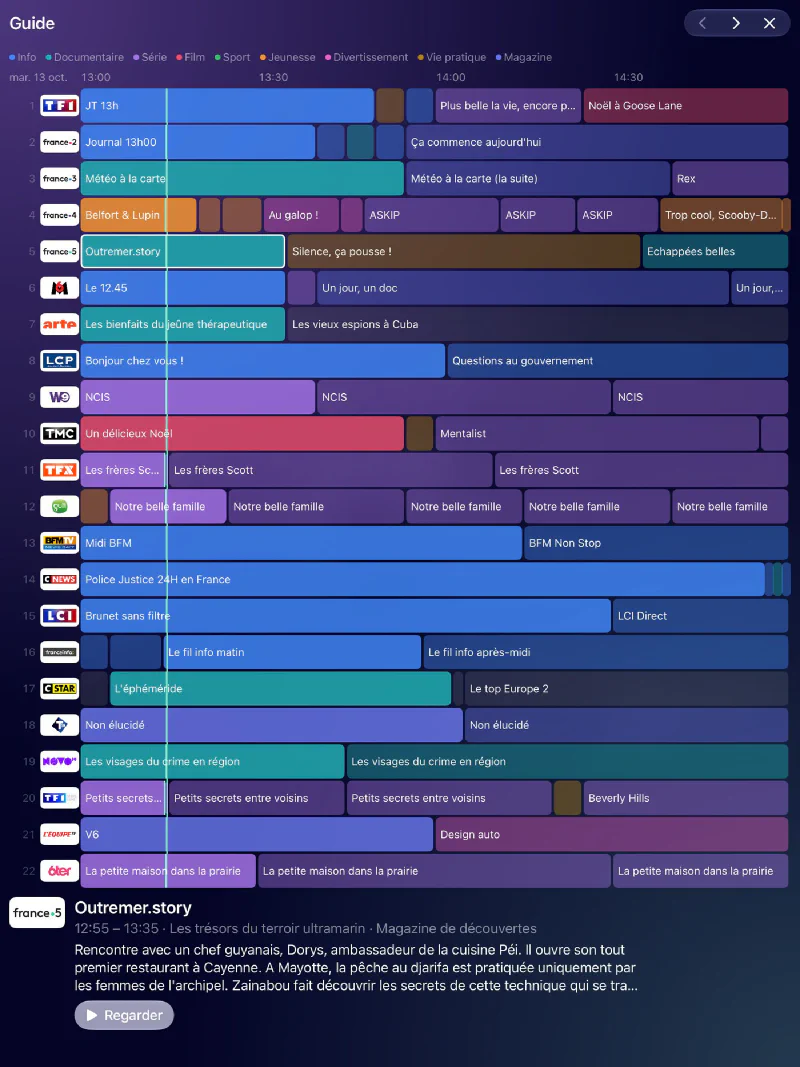
On a tablet: the picture, the channel list and the programme on the same screen, or the grid guide.
iPadOS 17 or later
Mac
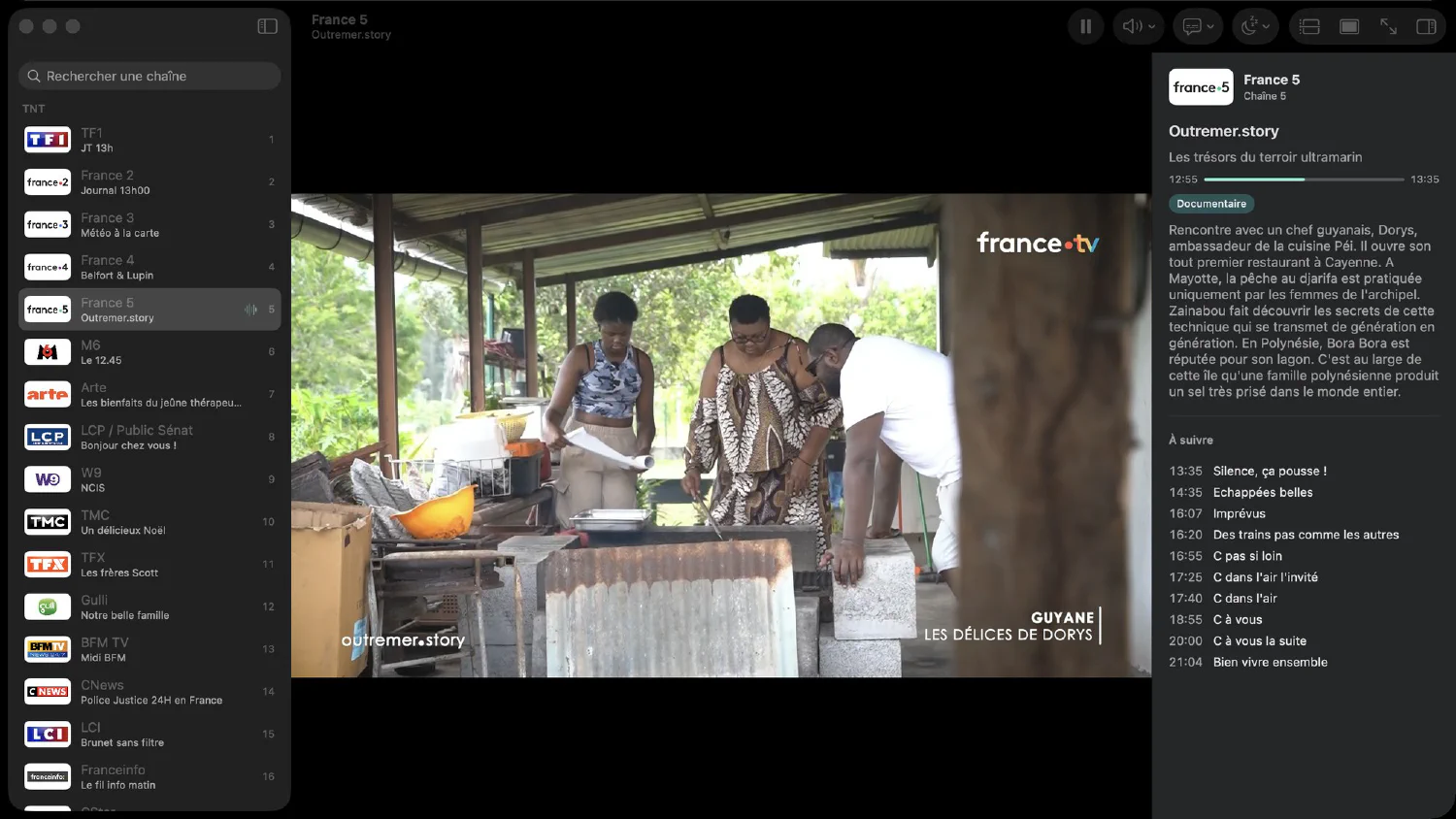
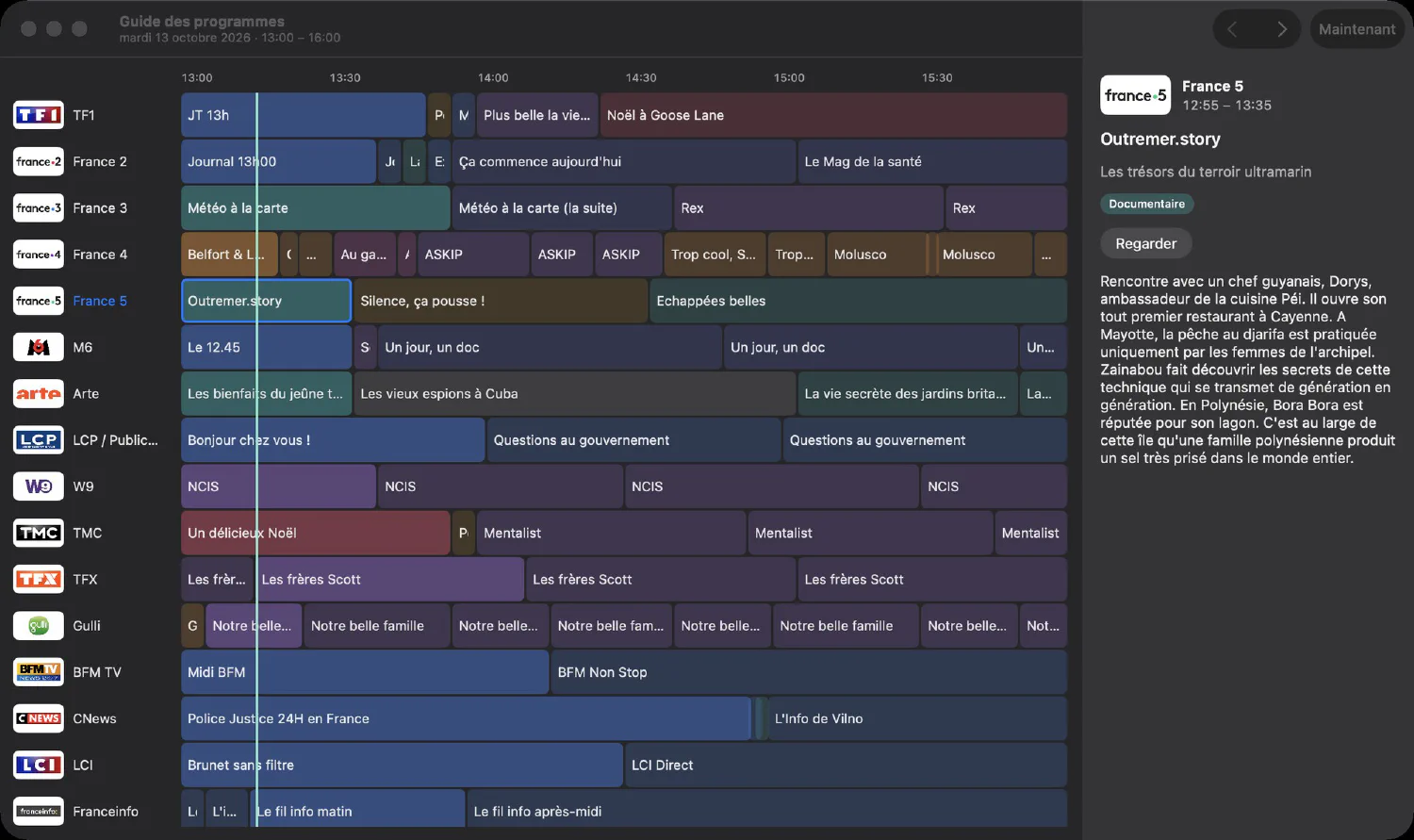
A proper Mac app: full screen, picture-only mode, guide in its own window.
macOS 15 or later
Android TV
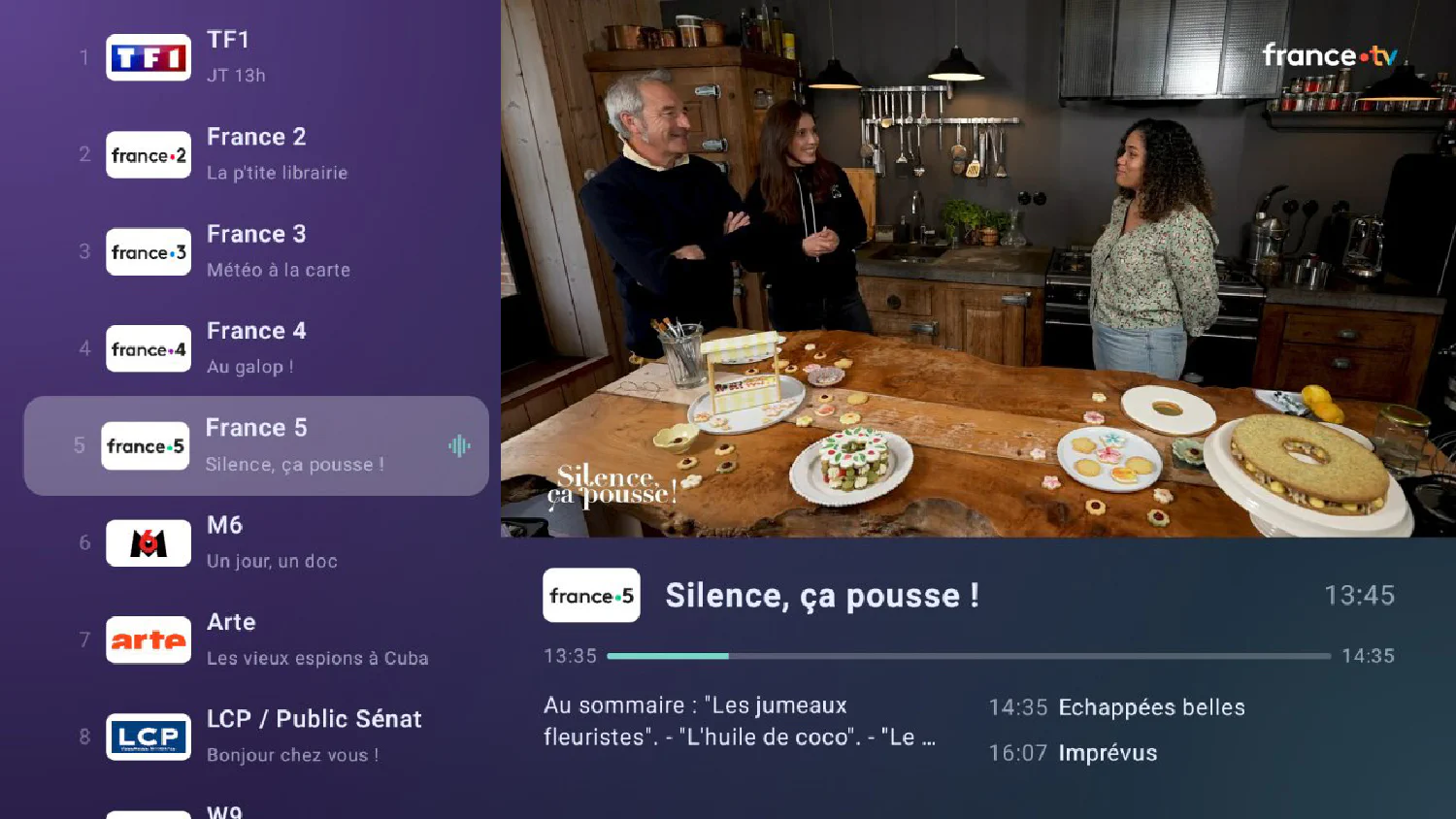
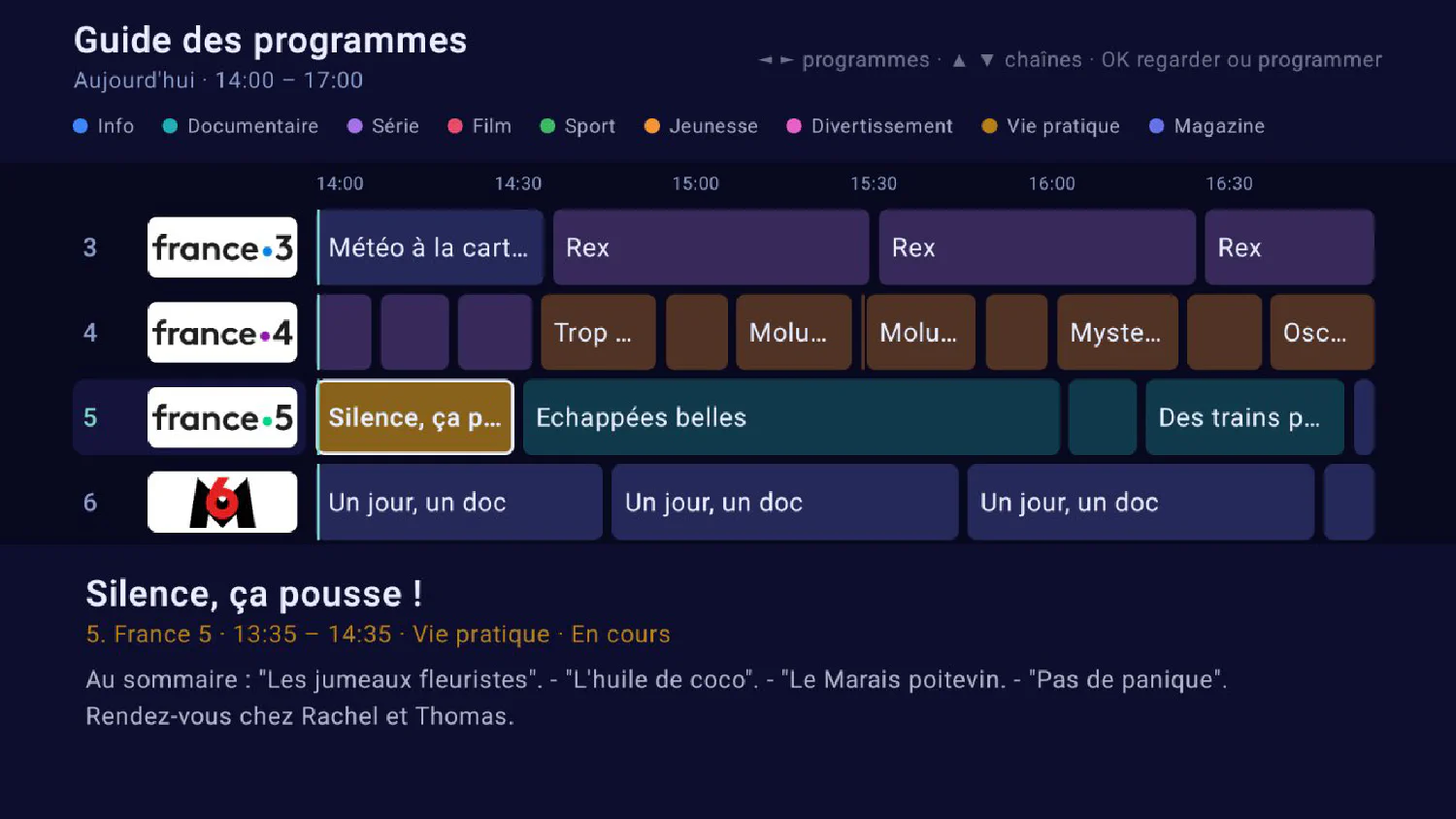
On the television, with the remote: arrow-key navigation, direct entry of the channel number, full-screen programme guide.
Android 8 or later

Android
On a phone: channel list with groups and favourites, search, programme guide, picture-in-picture. It is the same app as on Android TV.
Android 8 or later
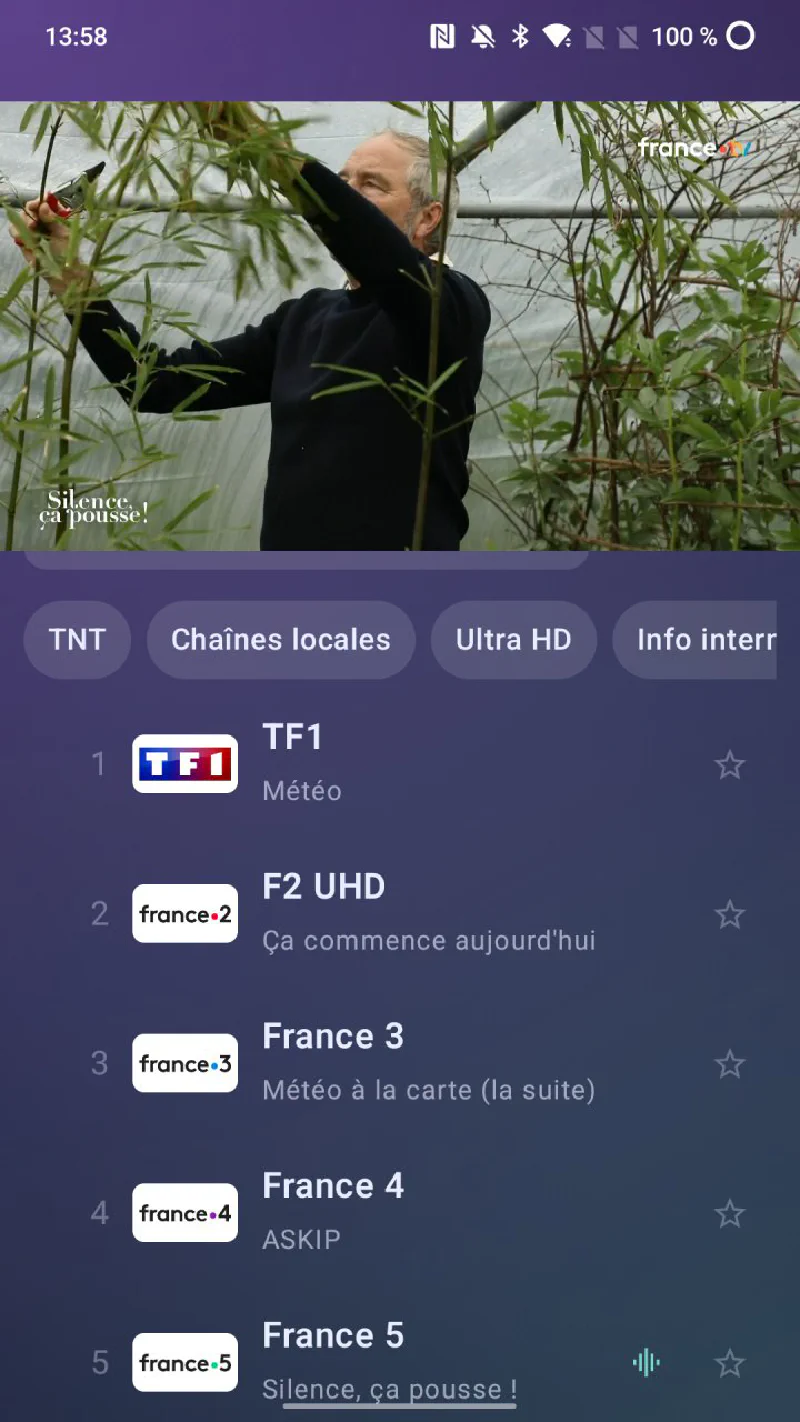
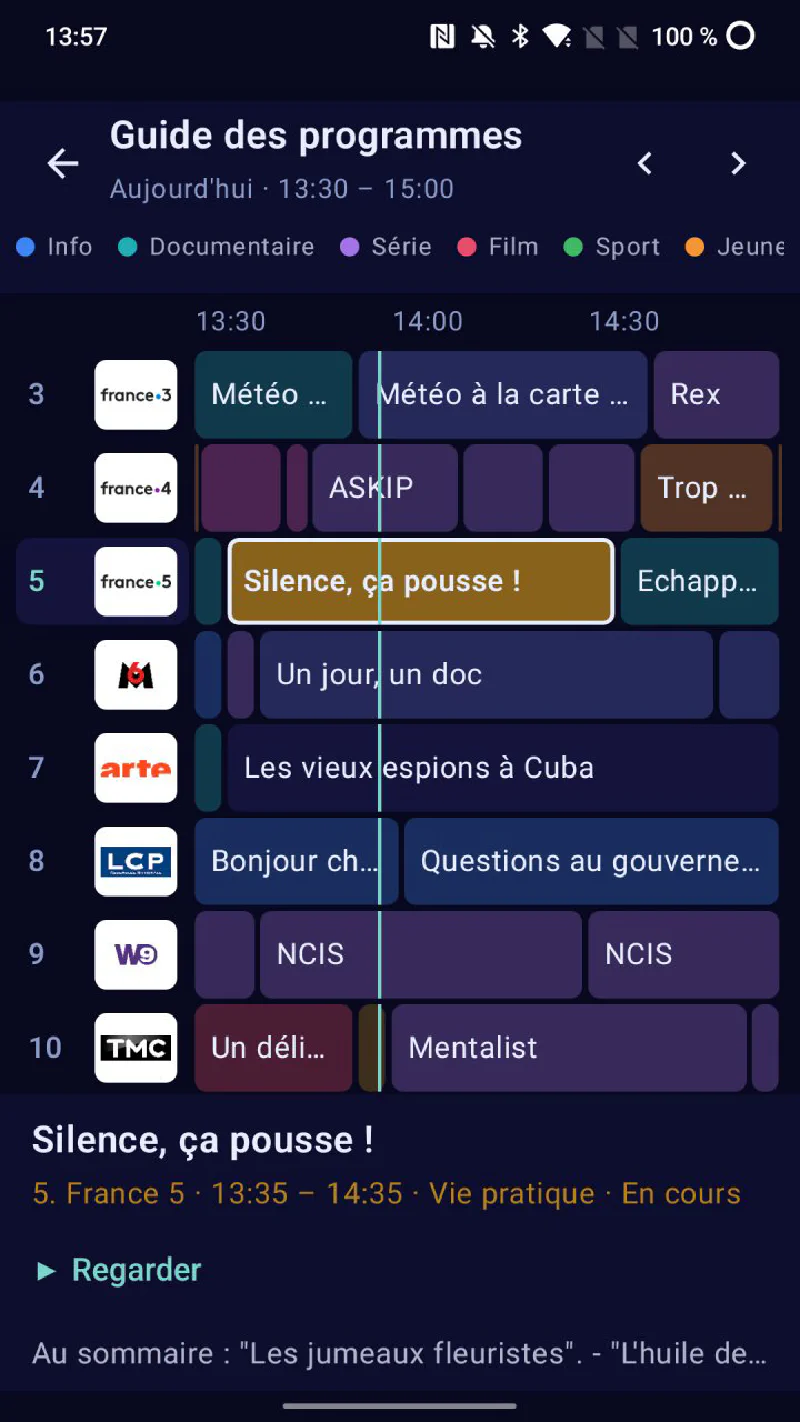
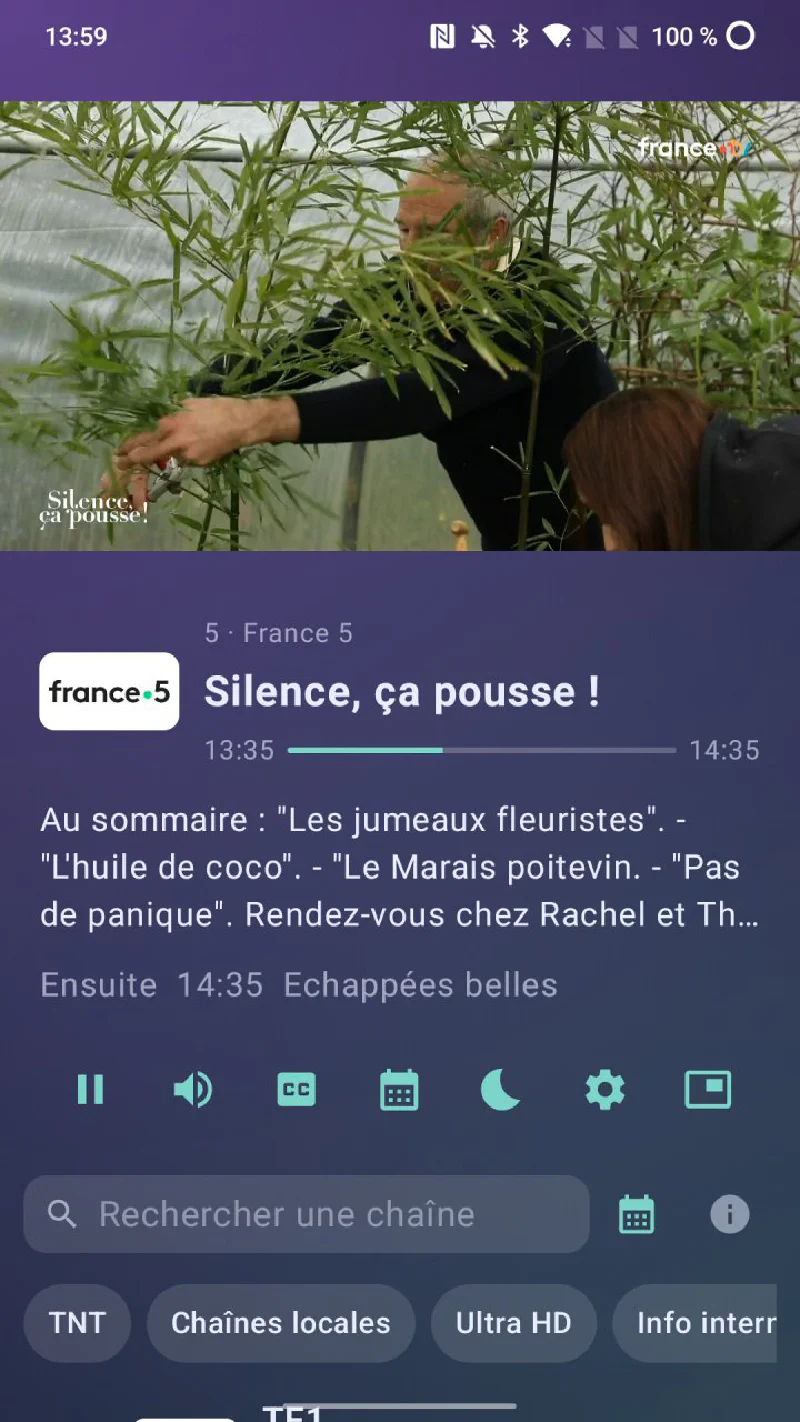
- Live TV
- All the channels in the package, in their original quality.
- The programme guide
- In a grid, with the current programme and what follows.
- Favourites and search
- Find a channel by its name or number.
- Language and subtitles
- Choice of audio track and subtitles during playback.
- Pause live TV
- Pause and rewind, on Apple devices.
- Sleep timer
- The app switches itself off, on Apple devices.
Available channels
French channels 29
 1TF1
1TF1 2France 2
 3France 3+ 25 regional editions
 4France 4
 5France 5
 6M6
6M6 7Arte
7Arte 8LCP / Public Sénat
 9W9
9W9 10TMC
10TMC 11TFX
11TFX 12Gulli
 13BFM TV
 14CNews
 15LCI
15LCI 16Franceinfo
 17CStar
 18T18
18T18 19NOVO19
 20TF1 Séries Films
 21L'Equipe
 226ter
 23RMC Story
 24RMC Découverte
 25RMC Life
 31Canal 31
 3220 Minutes TV
 33Le Figaro TV IDF
 34TV7 Bordeaux
Ultra HD 1
- UHD
52France 2 UHD
International news 9
 101France 24 French
-
102France 24 English
 103CNN
 104DW English
 105Al Jazeera English
-
106Al Jazeera
 107Al Arabiya
 108Al Hadath
 109Bloomberg TV
French-language 5
 201TV5 Monde Europe
-
202TV5 Monde FBS
 203RTS 1
 204RTS 2
 205TV Monaco
United Kingdom 12
 401BBC One South-East
 402BBC Two
 403ITV1
 405Channel 4
 406CBBC
 407ITV2
 408GB News
 409Channel 5
-
410BBC One Yorkshire and Lincolnshire
-
411BBC One North Ireland
 412BBC News
 413BBC Four / CBeebies
Germany 15
 421Das Erste
 422ZDF
 423MDR Sachsen
-
424MDR S Anhalt
-
425MDR Thuringen
 426hr Fernsehen
 4283sat
 429Kika
 430ZDF Info
 431ZDF Neo
 432rbb Brandenburg
-
433rbb Berlin
-
434Arte Deutschland
 435SWR Baden Wurttenberg
-
436SWR Rheinland Pfalz
Italy 3
 441Rai 1
 442Rai 2
 443Rai 3
World 8
 451Iran International
 452Rudaw
 453Kurdistan 24
 455TRT World
 456TRT Arabi
 457Qatar TV
 458Bahrain TV
 471NHK World
Without the app
You can still watch on any player that can read an M3U playlist. How the service works and the settings for each player are detailed below.
Our own headend
We capture all the channels ourselves, from our own headend located in the Ain department.
The installation relies on a multi-satellite dish fitted with Quattro LNBs pointing at Astra 1 (19.2°E), Astra 2 (28.2°E), Hotbird (13°E) and Eutelsat 9°E, completed by terrestrial DTT reception. A 24-tuner DVB-to-IP gateway demodulates these transponders and publishes each channel on the network. The installation is described in detail in our LaFibre.info thread.
Nature of the streams
- No re-encoding: channels are broadcast in their original format (
MPEG-TS,H.264orHEVCvideo depending on the source), exactly as sent by the broadcaster. Quality is identical to satellite/DTT, including HD and 4K streams. - Internal transport over multicast: each channel is an
RTP/multicaststream carried across our core network through an EVPN/VXLAN overlay, between the capture site and the datacentre. - On your side: streams are exposed over HTTP unicast (
http://tv.milkywan.fr/chaines/<channel>), so you do not need to handle multicast on your home network. - Redundancy: delivery is handled by two independent, synchronised servers, with seamless failover.
Programme guide (EPG)
An electronic programme guide in XMLTV format is available and regenerated daily:
http://tv.milkywan.fr/epg.xml
Most players (Kodi, Jellyfin, TiviMate…) can use it directly to show what is on now and next on each channel.
Using the M3U playlist
The playlist containing all the channels is available at a fixed URL:
http://tv.milkywan.fr/milkywan.m3u
There are two ways to use it, depending on your player:
- By URL (recommended): paste the link above directly into the player. The channel list then stays up to date automatically whenever we add or change something.
- By file: download the
.m3uand open it locally. Simple, but fixed: you will need to download it again to get any changes.
Practical examples:
- VLC: Media → Open Network Stream, paste the
.m3uURL, then browse the channels in the playlist. - Kodi (PVR IPTV Simple Client add-on): enter the
.m3uURL as the M3U playlist and theepg.xmlURL as the XMLTV URL. You get the guide and channel surfing. - TiviMate / Jellyfin / Emby: add an M3U URL source pointing to the
.m3u, and the EPG/XMLTV source pointing toepg.xml.
Tips
- VLC works well in a pinch but does not show the EPG: for proper channel surfing with a guide, prefer Kodi, Jellyfin/Emby or TiviMate, combining the
.m3uand theepg.xml. - As the streams are untouched
MPEG-TS, a recent software player and a small network buffer give the best result; if playback stutters, increase the player’s network caching.