Univers, the subscriber area
Discover Univers
Univers is MilkyWan's subscriber area, built by the association. Each of your services is there with its live status, its settings and its history, and you can do yourself what other providers make you email support for.
It opens with your first service and handles everything else: ordering, following a delivery, paying, asking for help, voting at the general assembly.
Take the tour
Ten Univers screens, just as you will see them. Hover over or tap the dots to see what you can do.
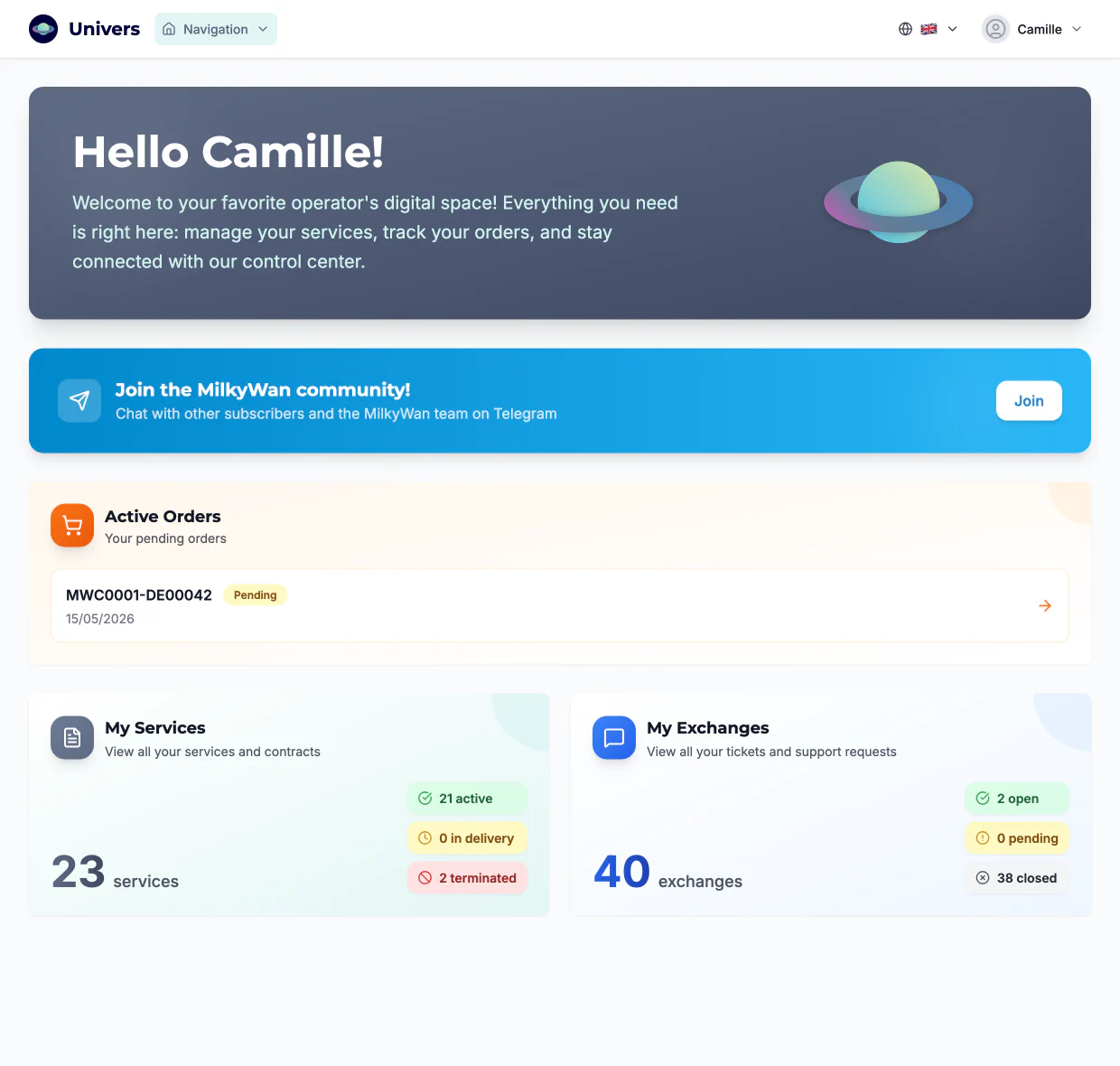
One dashboard for everything
When you log in: your orders in progress, your services by status and your conversations with the team. Each card leads to the details.
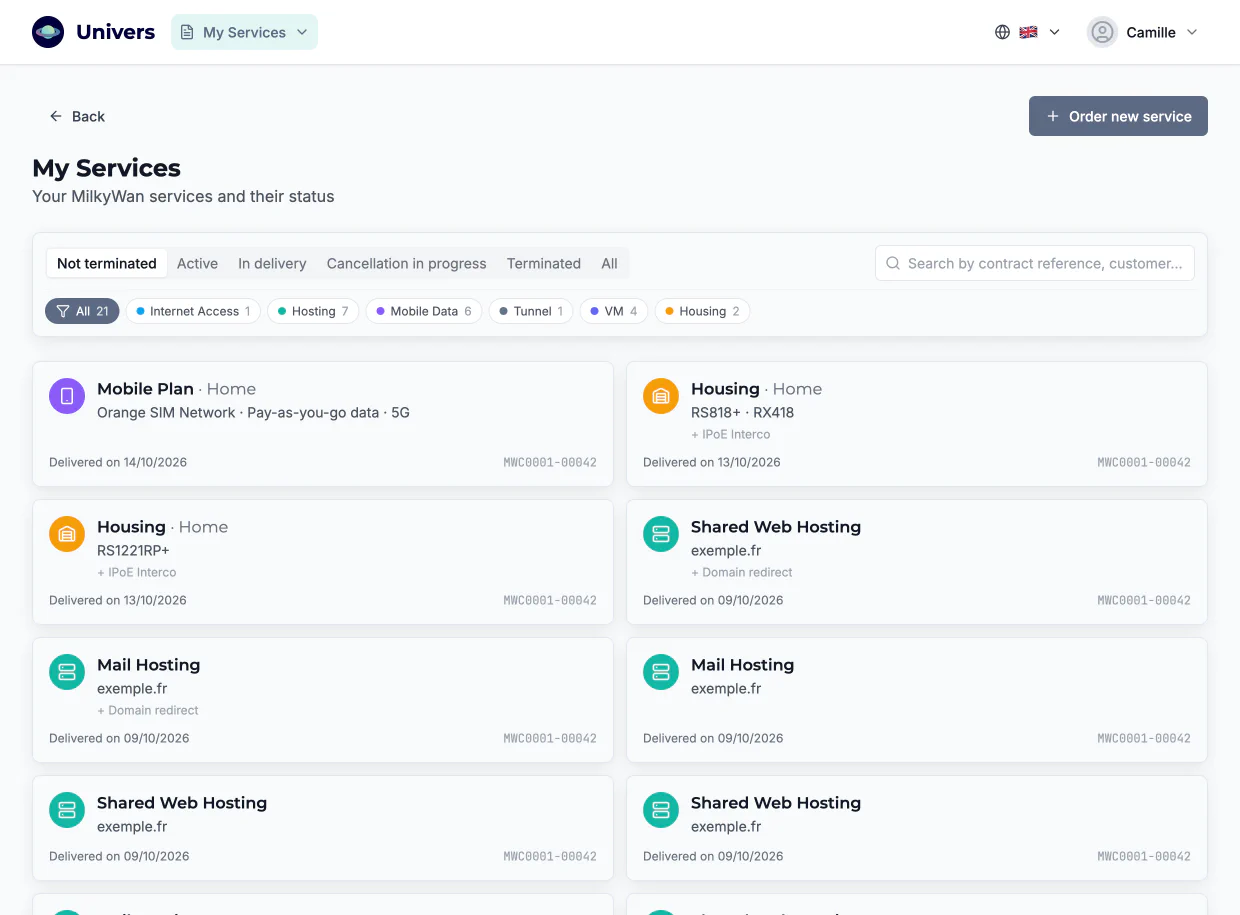
All your services in one place
Fibre, VMs, tunnels, hosting, housing, mobile data: one page per contract, filterable by status, with its order and delivery dates. You can name each one to find your way around.
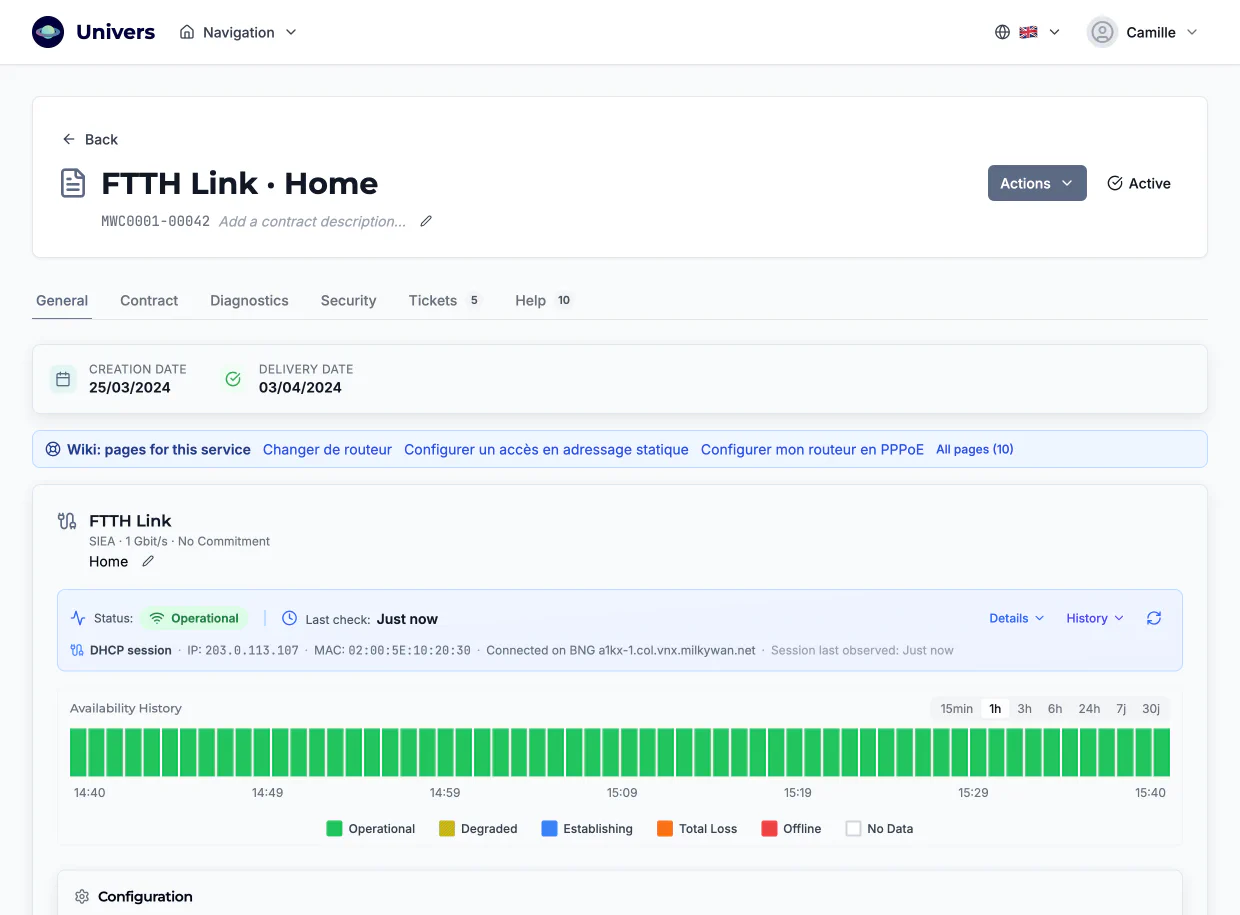
Your fibre line, live
Session status checked right now, minute-by-minute availability history, and the help pages for your line. If something is wrong, you see it before you need to ask.
Your settings, no ticket needed
Router MAC address, fixed IPv4 address, IPv6 /48 prefix, reverse DNS for IPv4 and IPv6, reverse zone delegation: you view and change them yourself.
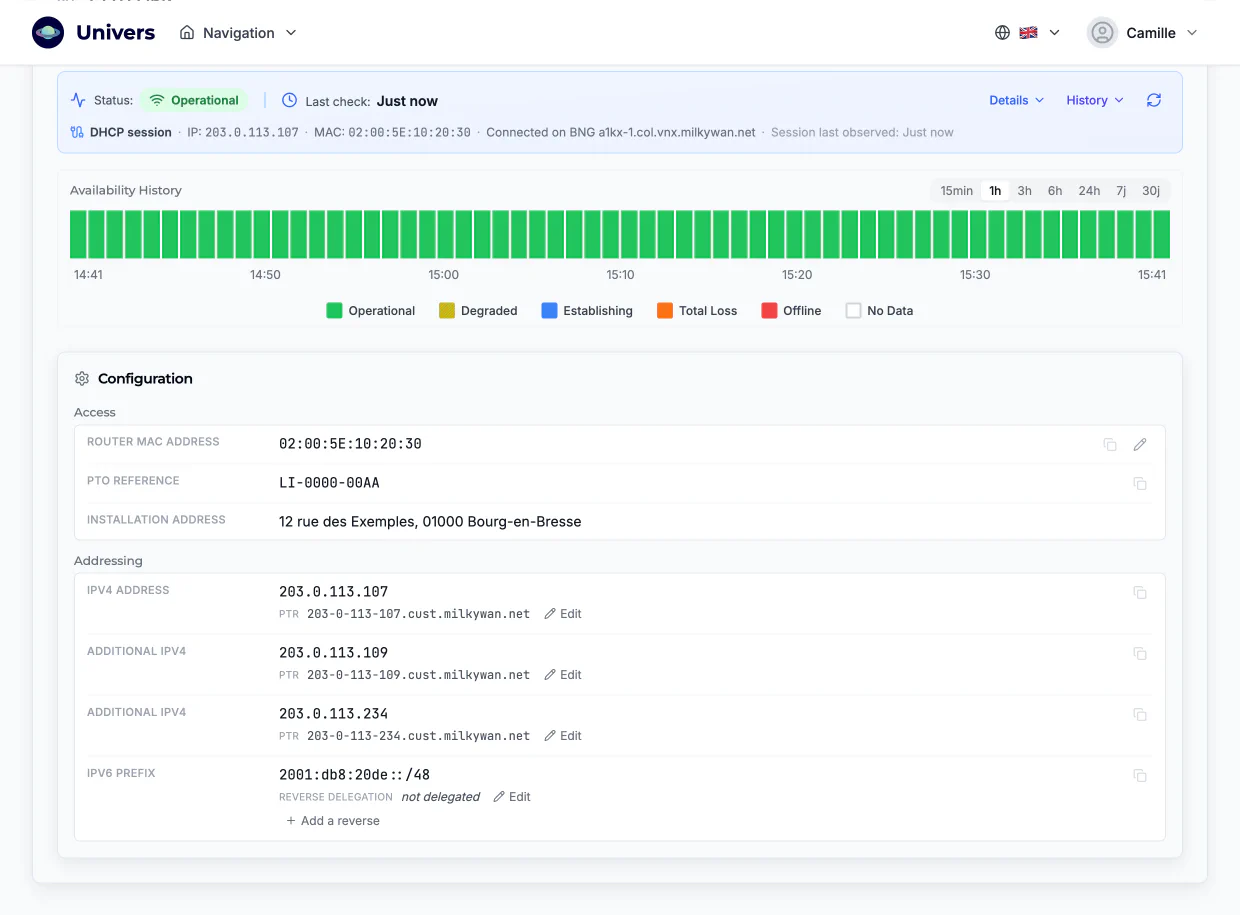
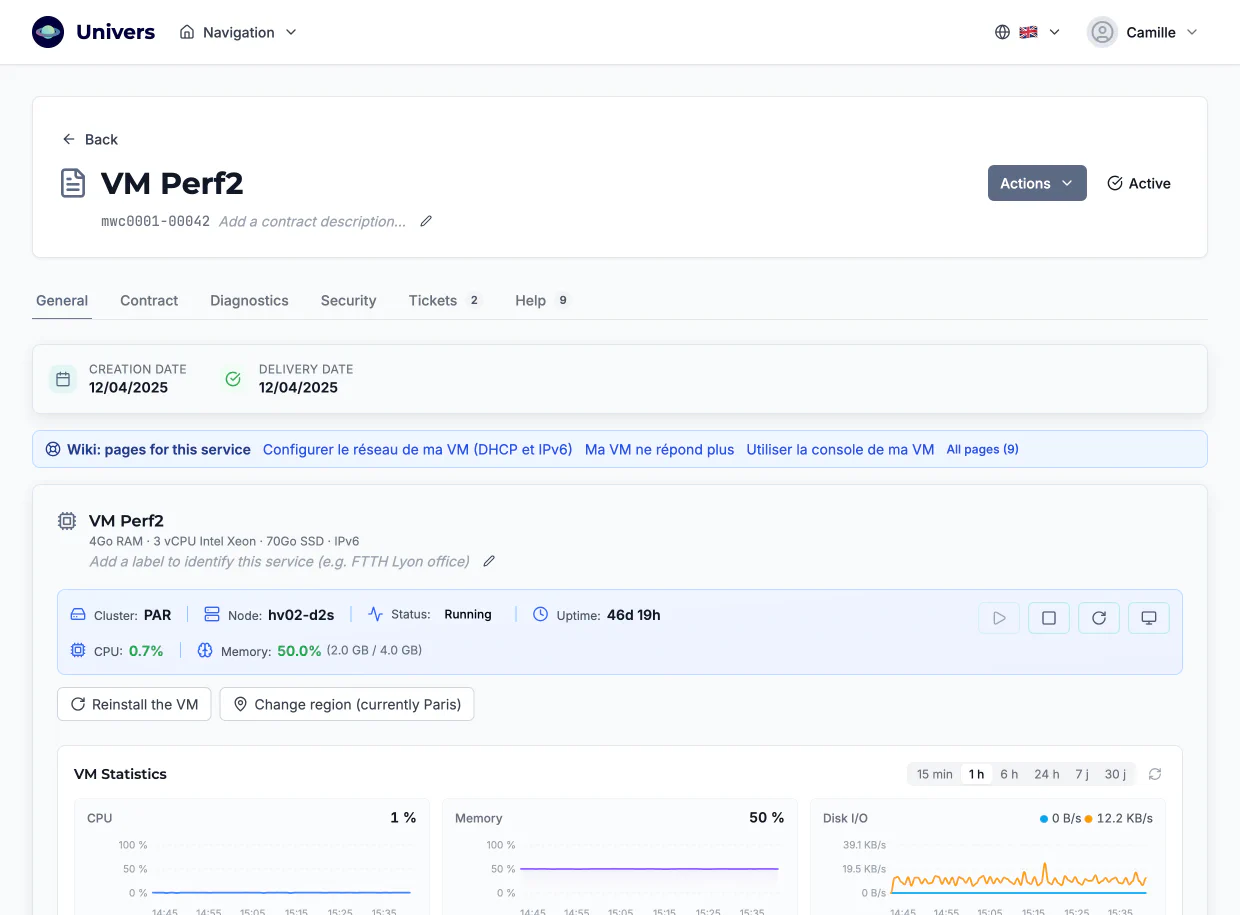
Virtual machines you run yourself
Start, stop, restart, open the console, reinstall, boot from an ISO image or in rescue mode, change region: everything is on the page, with live CPU and memory load.
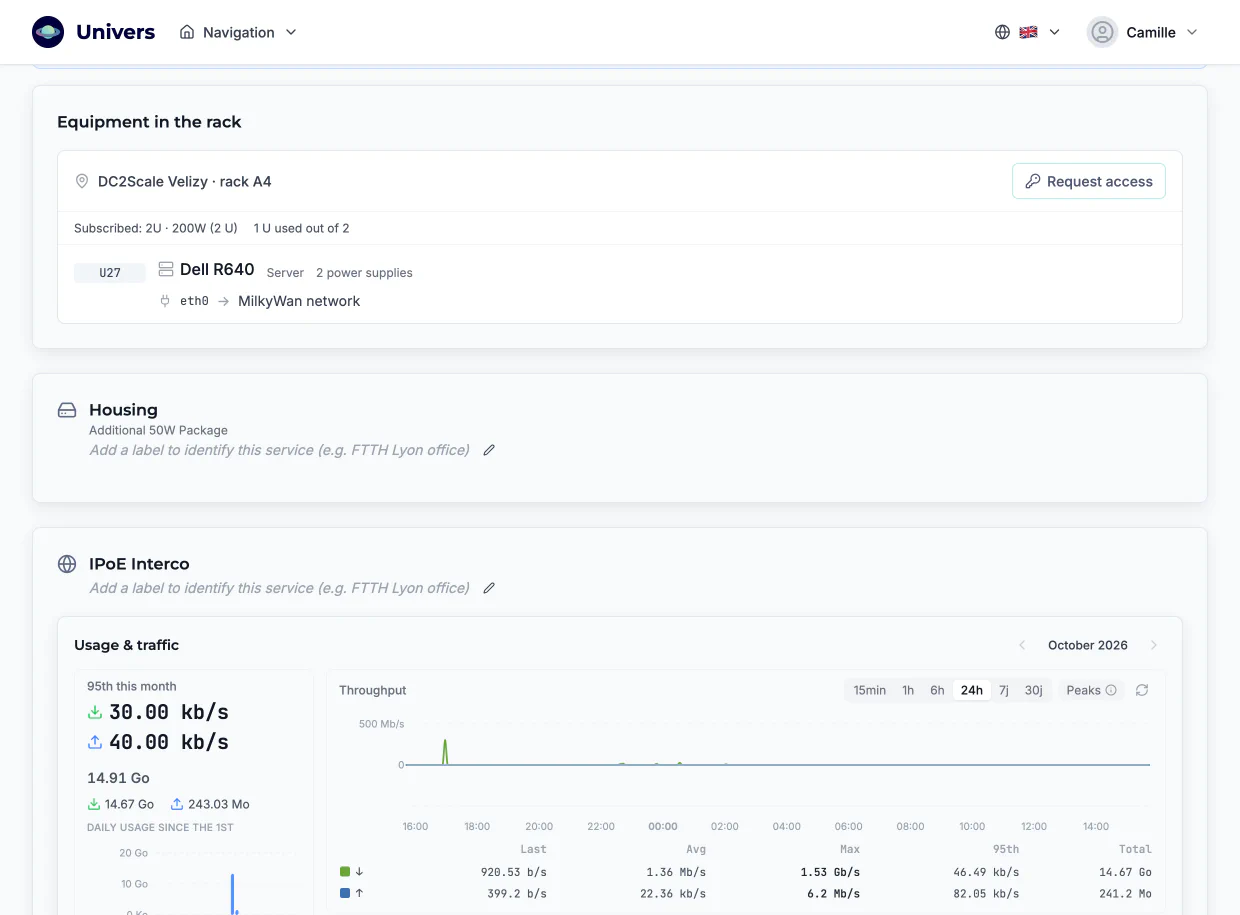
Usage and traffic
For tunnels, housing and mobile data: the month's usage day by day and throughput from 15 minutes to 30 days, with the 95th percentile. The tunnel state too: last handshake, volume exchanged, MTU.
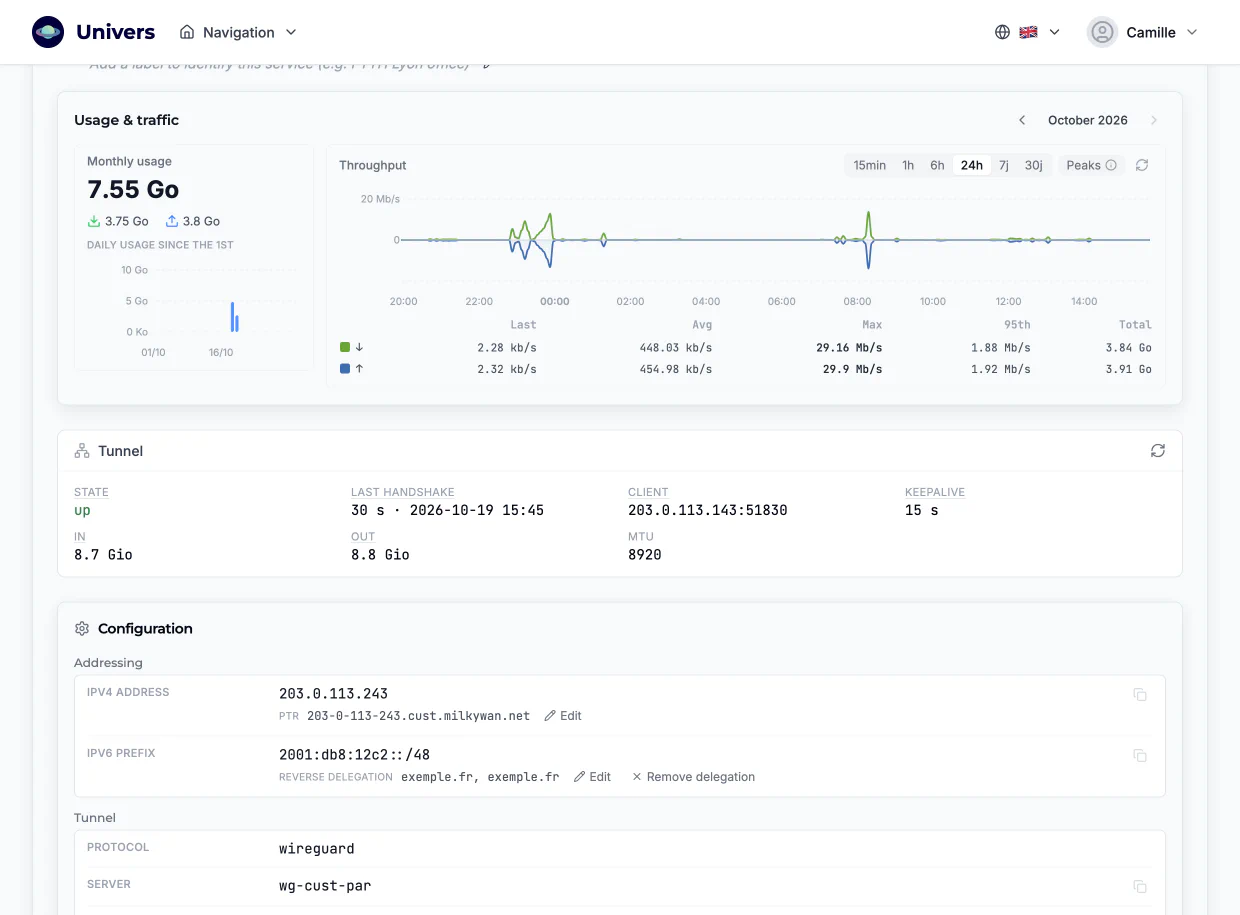
Mobile data, top up anytime
How much of your allowance is used, the line status, and a button to top up when you need more.
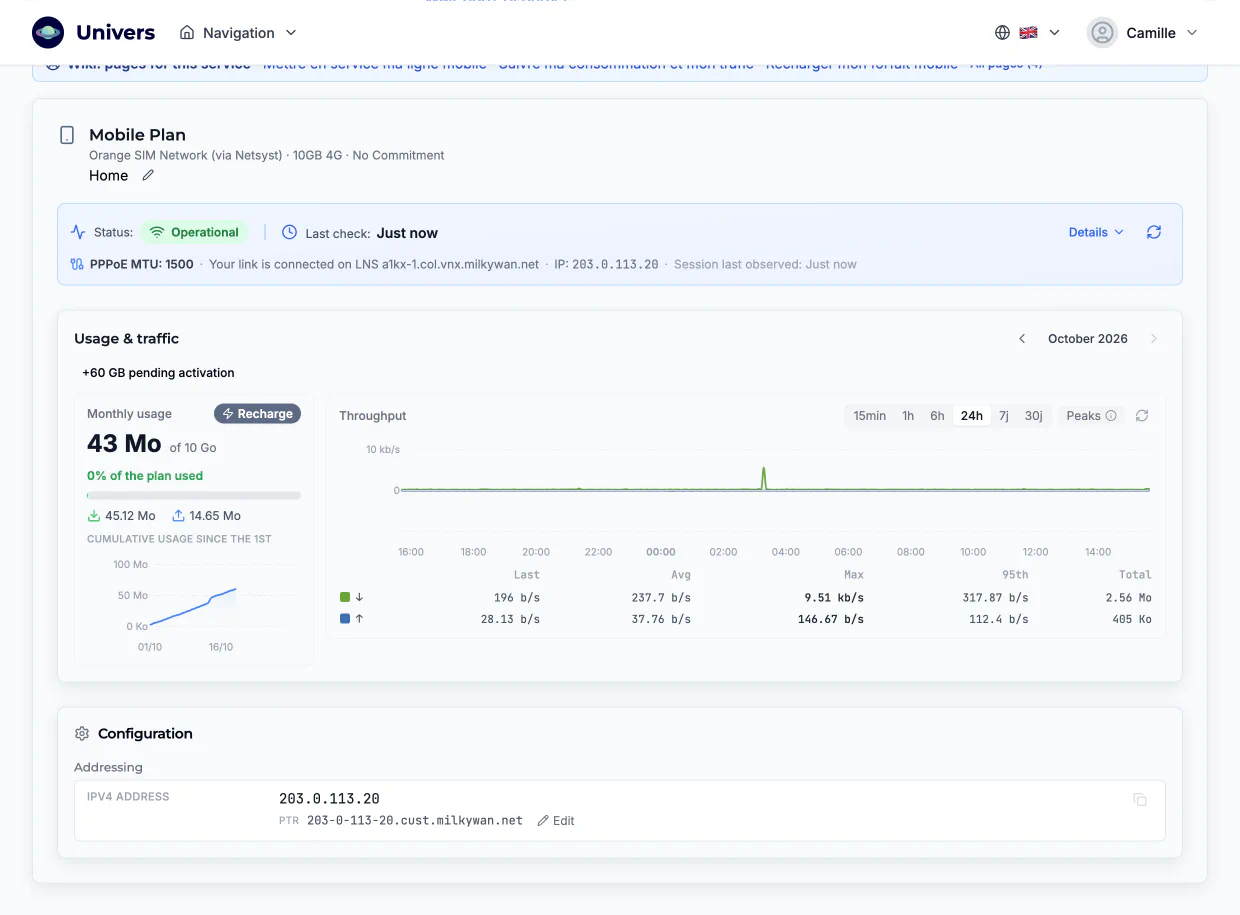
Web and mail hosting
Your domain, your SFTP access, your mailboxes, the HTTPS certificate and the DS (DNSSEC) record to publish at your registrar, and your domain's DNS zone.
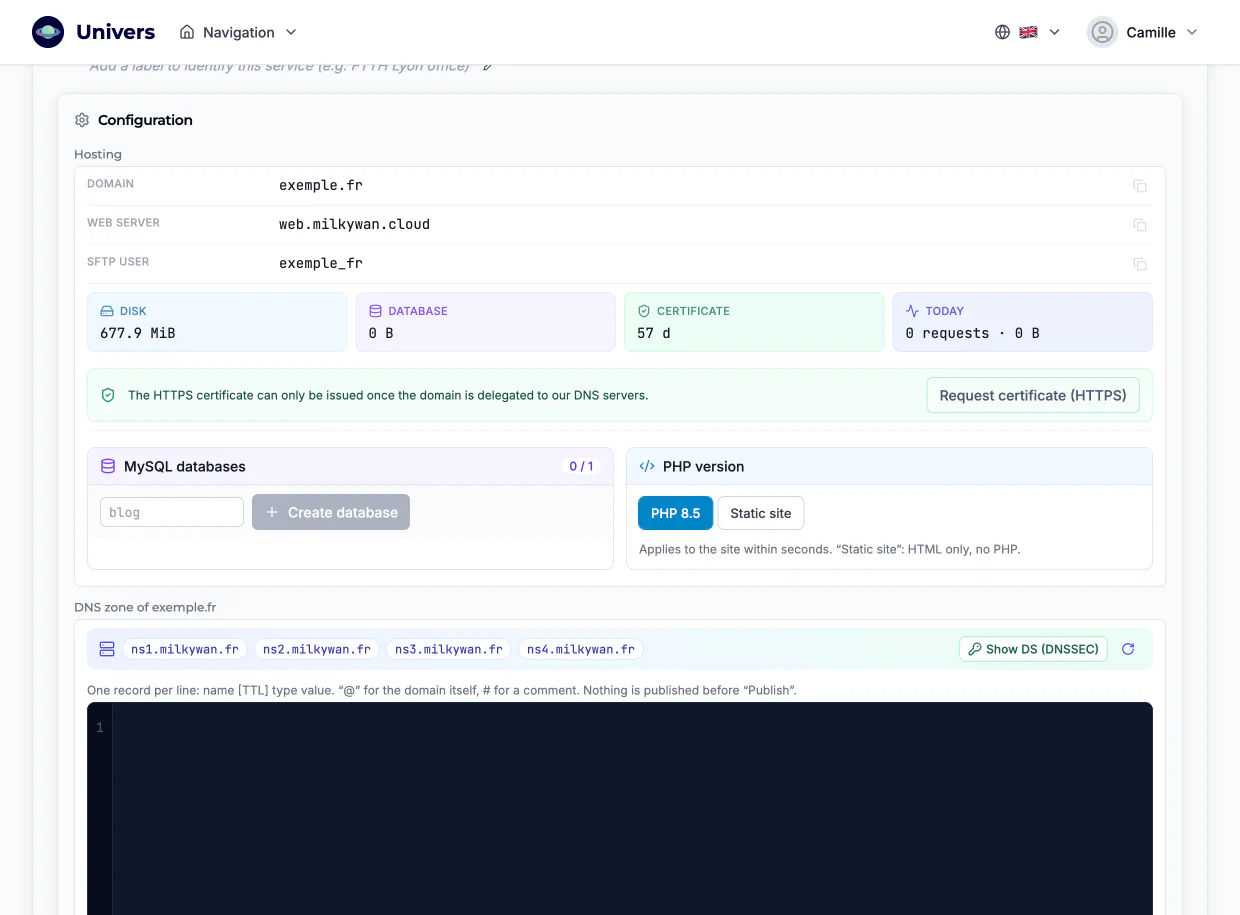
Your equipment in the rack
Each device's position in the rack, its interconnections, port status and usage, and the data centre access request when you need to go on site.
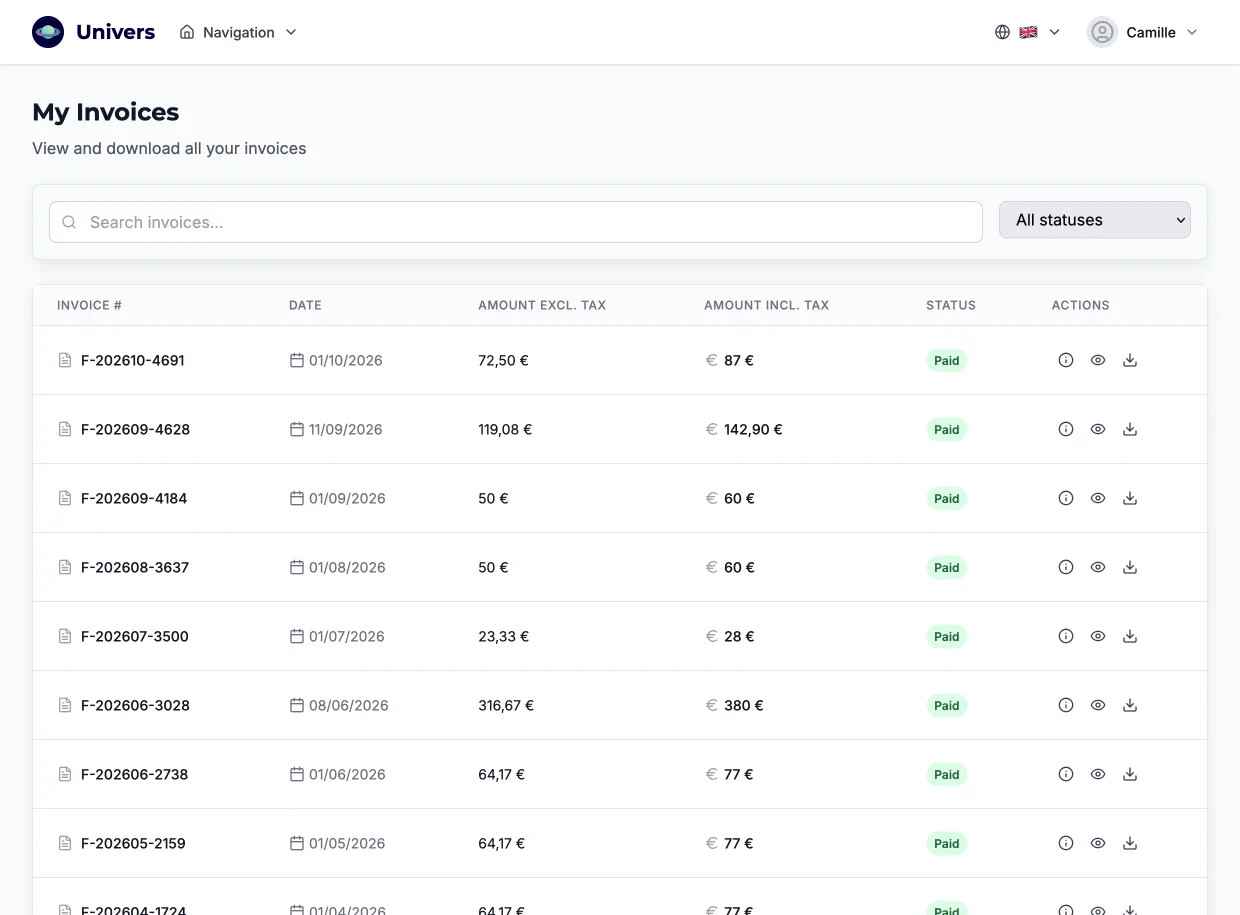
Invoices and payments
All your invoices and credit notes, downloadable, with their payment status.
And also
- Conversations with the team
- Each ticket is linked to the service it concerns, and you follow it until it is resolved.
- Help in context
- On each page, the wiki articles for that service: changing your router, setting up a tunnel, first login to a VM…
- Orders
- Order a new service and follow its delivery step by step.
- Association life
- General assembly votes and the link to the MilkyWan community on Telegram.
- API and MCP
- What you do in Univers, your scripts and AI agents can do too.
Open Univers Not a subscriber yet? Check my address
Screenshots taken on a test account; personal and technical data have been replaced with example values.